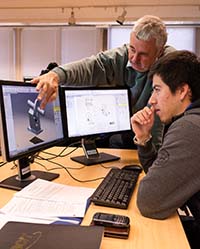
BCIT Wins Autodesk Award!
Autodesk Authorized Training Centers® are recognized with
awards based on their instructional performance on Autodesk products.
BCIT’s CAD Training Centre won the 2008 North American Award for Distinguished Performance in AutoCAD Software Training.
This award is based on the collection of customer feedback through
on-line evaluations. BCIT has been delivering quality instruction in
Autodesk products like AutoCAD for over 20 years. Search AICO on the
BCIT web for upcoming courses.
|
overview
A selection of part-time studies courses will be offered that will lead to an Associate Certificate in Computer Aided Design Technology. Computer Aided Design (CAD) tools are being increasingly used in engineering and architectural fields. As well, CAD is finding applications in other areas such as facilities management and interior design.
The Associate Certificate program is intended for:
- draftspersons, technicians or individuals who are skilled in a
technical field who need to develop their CAD proficiency
- individuals who require a formalization of their technical abilities
in CAD
The associate certificate program courses are taught at a level that assumes students have completed senior secondary school math, science and english or equivalent.
To be awarded an Associate Certificate in Computer Aided Design Technology, the student must complete 9.0 credits of required courses and 12.0 credits of elective courses for a total of 21.0 credits.
program entry
Program approval
To determine if the courses you intend to take will be applied towards a credential you must apply for Program Approval.
Program approval enables you to declare a program of study and outline the courses you plan to complete to meet program requirements. Program approval also provides the opportunity to apply for transfer credit. Upon approval, a confirmation letter will be mailed to you outlining your program of study.
To apply for program approval, please submit the Part-time Studies Application for Program Approval [PDF, 566 KB]. This form is also available at Student Information and Enrolment Services. Please allow approximately six to eight weeks for processing.
courses
Program matrix
| 1. Required Courses: (9.0 credits) |
Credits |
| |
AICO 1000 |
AutoCAD 1
The first step in CAD training requires a thorough knowledge of commands and features of the CAD software. This intensive, hands-on course prepares the student with the knowledge and skills necessary for creating a basic 2D drawing. Other areas of study include editing, view manipulation, text, dimensioning, hatching and plotting techniques. Prerequisite: Familiarity with Microsoft Windows and basic drafting knowledge.
|
3.0 |
| |
AICO 4090 |
CAD Practicum*
To demonstrate their proficiency with CAD, students produce industry standard CAD drawings to the specifications of the industry sponsor. They also produce a report documenting the project. Students who have met the prerequisite should contact the BCIT CAD Training Centre to request a practicum information package for this self-directed course. Prerequisite: Completion of all other credits required for the Associate Certificate program in Computer Aided Design Technology.
|
3.0 |
| |
MECH 1000 |
Drafting Fundamentals for Mechanical
Covers techniques required to communicate technical information in a graphic form. Includes sketching, orthographics, pictorials, sections, mechanical connections, auxiliary drawings and developments to provide the basics for developing CAD working drawings. Emphasis will be placed on understanding rather than draftsmanship. Example drawings will be analyzed. Recommended as a prerequisite to CAD graphics courses.
|
3.0 |
| * Students may register for AICO 4090 (CAD Practicum) following completion of all other credits required for completion of the associate certificate. |
|   |
| 2. Elective courses: (12.0 credits) |
Credits |
| |
AICO 2000 |
AutoCAD 2
To develop the required skills for preparation of working drawings, this advanced level course is required. It introduces the most efficient commands for various tasks to enhance CAD productivity. The course continues with advanced techniques for drawing, editing, annotating, external references, symbol libraries, working with attributes and plotting. Prerequisite: Familiarity with Microsoft Windows and AICO 1000.
|
3.0 |
| |
AICO 2020 |
AutoCAD Customization
Designed for experienced AutoCAD users who would like to take advantage of AutoCAD's customization features to increase productivity and ease of use. Topics include configuration, modifying the ACAD.PGP file, accelerator keys, menu customization, command macros, sources of AutoCAD utilities, script files, slide libraries, custom linetypes, and basic DIESEL. Prerequisite: Familiarity with Microsoft Windows and AICO 2000.
|
3.0 |
| |
AICO 3001 |
AutoCAD 3D
Introduces AutoCAD's 3D modeling and visualization capabilities. With AutoCAD three dimensional wireframe, surface and solid models can be created and viewed. The rendering of 3D surface and solid models is an effective way to visualize and communicate designs. Prerequisite: Familiarity with Microsoft Windows and AICO 2000.
|
3.0 |
| |
AICO 3010 |
AutoCAD: Advanced
This course explores AutoCAD's advanced features allowing the user to efficiently create 2D drawings. Topics such as drawing, modifying, annotating, dynamic block creation, attribute extraction, managing external references and plotting are covered in greater depth introducing new commands and options. Sheet sets and express tools are examined as is CAD workflow. The format includes lecture, discussion as well as hands-on exercises and assignments. Prerequisites: AICO 2000
|
3.0 |
| |
AICO 3020 |
AutoCAD Programming
This course introduces the AutoLISP, Visual LISP, and Visual Basic for Applications (VBA) programming interfaces that can be used to customize AutoCAD. Includes programming concepts, user defined commands and drawing automation. Prerequisites: AICO 2000 (AICO 2020 recommended).
|
3.0 |
| |
AICO 3045 |
Architectural Desktop
How to use the features of AutoCAD Architectural Desktop software in a typical architectural design project. Topics include conceptual design, modeling, 2D drawing layout, annotations and design features. Customization techniques and project management are also discussed. Prerequisite: AICO 2000 or equivalent.
|
3.0 |
| |
AICO 3050 |
CAD System Management
Covers issues related to the acquisition, implementation and management of computer systems for CAD applications. Hardware acquisition and upgrades, drawing files management, data management, software selection, networking, security, and maintenance will be discussed. This course prepares the individual to assume significant system management responsibilities in a CAD office. Prerequisite: AICO 2000 or equivalent.
|
1.5 |
| |
AICO 4021 |
Autodesk Viz
Introduces skills and concepts of 3D computer modeling, rendering, and animation. These techniques can be applied to model visualization, product design, architecture, and engineering. Topics include 2D/3D modeling, surface mapping, materials, lighting, animation, and CAD file linking. Prerequisites: AICO 3001
|
3.0 |
| |
AICO 4044 |
Autodesk Inventor
Covers sketching, part modeling, assemblies and design documentation. Autodesk Inventor uses adaptive technology to speed and simplify the mechanical design process. As a dedicated 3D mechanical computer aided design package, it is ideally suited for conceptual design. Prerequisite: MCAD experience and familiarity with Microsoft Windows.
|
3.0 |
| |
AICO 4048 |
SolidWorks 1
Covers part modeling, detailing and assembly design. SolidWorks is a feature based parametric solid modeler used for mechanical design and manufacturing. This course covers the basic functions needed to use SolidWorks to create parts, assemblies and production drawings. Prerequisite: MCAD experience and familiarity with Microsoft Windows.
|
3.0 |
| |
AICO 4148 |
SolidWorks 2
Topics include design tables, sheet metal features, component design for volume manufacturing, advanced lofts, sweeps and the use of surfaces in a solid modeling environment. Advanced assembly techniques, drawing tools such as alternate views and the use of templates for drawing creation are also covered. Prerequisites: AICO 4048
|
3.0 |
| |
AICO 4248 |
CAD/CAE with SolidWorks
In this course, students will learn advanced applications of computer aided design software in mechanical and manufacturing engineering. Topics include the applications of CAD in Finite Elements Analysis (FEA), Dynamic Motion Simulation/Analysis, Assembly Simulation, Tolerance Analysis/Stack-up Validation, and Design Optimization. Prerequisite: AICO 4048, and Engineering Mechanics (Statics and Dynamics).
|
3.0 |
| |
COMP 1002 |
Computer Concepts and Microsoft Windows
Become a PC power user and learn how to get the most functionality out of your Windows based Personal Computer. Find out how to configure and customize MS Windows XP and protect your system properly. Topics include: using a Graphical User Interface (GUI), introduction to hardware and software, file management, hard disk management, protecting data, troubleshooting, multi-users, networking and security. Gain a hands-on understanding of how to set up a home-based or small business network, virus protection and firewalls. Compare other operating systems, Linux, Macintosh and Windows Vista. Learn how to back-up data and systems, create and burn CDs and use USB drives.
|
3.0 |
| |
GIST 7107 |
Autodesk Map
Covers the basic technical skills required in spatial data collection and management within Autodesk Map. Topics include CAD issues, workflow, spatial data tools, GIS definitions, topology (spatial relationships), advanced queries, property alteration and spatial analysis. Prerequisites: AICO 1000
|
3.0 |
Note: The courses listed below have been discontinued. Students who have completed any of these courses may apply the credit towards the associate certificate. |
| |
ACGS 2000 |
AutoCAD Map 1
Covers the basic technical skills required in spatial data collection and management. AutoCAD Map fundamentals with an emphasis on CAD issues, the Workflow model, and map spatial data tools are discussed. Prerequisites: AICO 1000
|
1.5 |
| |
ACGS 3000 |
AutoCADMap 2
Explores the advanced issues of AutoCAD map and utilizes complex tool sets. The emphasis is on GIS definitions, Topology (spatial relationships), advanced queries and property alteration and spatial analysis. Prerequisites: ACGS 2000
|
1.5 |
| |
AICO 2010 |
AutoCAD for Windows
Students will be introduced to many of the productivity tools available in AutoCAD for windows. Topics include: interface customization, import/export using Clipboard, Dynamic Data Exchange, Object Linking and Embedding, render tools and development tools. For experienced AutoCAD users. Prerequisites: AICO 2000
|
1.5 |
| |
AICO 3000 |
AutoCAD 3
An introduction to the 3D capabilities of AutoCAD. Covers the fundamentals of 3D wireframe construction regions, surface generation and rendering. Prerequisites: AICO 2000
|
1.5 |
| |
AICO 3005 |
AutoCAD Customization 2
Introduces the AutoLISP programming environment. Includes AutoLISP programming concepts, development of applications in parameterized drawings, user defined commands, and interfacing with the drawing file database. Prerequisites: AICO 0050 or familiarity with Microsoft Windows and AICO 2000 (AICO 2020 recommended).
|
3.0 |
| |
AICO 3040 |
Mechanical Desktop 1: Designer
Mechanical Desktop by Autodesk integrates 3D part, assembly, and surface modeling tools, and automatically generates 2D dimensioned drawings. The AutoCAD Designer component is a parametric, feature-based solid modeler that can be used to automate mechanical part design. Prerequisite: AICO 0050 or familiarity with Windows 95 and AICO 2000 or equivalent (AICO 3000 or AICO 3001 also recommended).
|
1.5 |
| |
AICO 3042 |
Architectural Desktop 1
Describes how to use the features of AutoCAD Architectural Desktop software in a typical architectural design project. File and project management, 2D drawing layout and annotations are covered. Course emphasis is on the new features relating to the object-based architectural elements of the software. Prerequisite: AICO 2000 or equivalent.
|
1.5 |
| |
AICO 3075 |
CAD Customization AutoLISP
Prerequisite: AICO 2000 and prior programming experience.
|
3.0 |
| |
AICO 4042 |
Architectural Desktop 2
Software capabilities relating to the design development cycle including conceptual design, working drawings, and modeling are covered. Customization techniques for optimum productivity in the context of architectural design are discussed. Prerequisites: AICO 3042
|
1.5 |
| |
AICO 4010 |
3D Studio Max for Engineering 1
Basic elements of 3D STUDIO MAX including file management, main interface layout and navigation and basic object creation is discussed. Skills for transforming objects and applying basic modifiers are taught. An introduction to material selection, rendering and basic concepts of keyframing (animation) is also included. This course is ideal for development of photo realistic models in engineering and design applications. Prerequisite: AICO 3001 and familiarity with Microsoft Windows.
|
1.5 |
| |
AICO 4015 |
3D Studio Max for Engineering 2
Advanced topics in object creation including lofting, boolean and other modifiers are presented. Elements of lights, cameras and material/texture definitions are incorporated in development of photo realistic scenes. Advanced rendering and animation techniques, as well as basic video post concepts are included. Prerequisite: AICO 4010 and familiarity with Microsoft Windows.
|
1.5 |
| |
AICO 4020 |
3D Studio VIZ 1
Introduces computer aided modeling and visualization techniques. Prepares students to generate photo realistic images for architectural and engineering applications. Explores the user interface, some related AutoCAD features and essential VIZ concepts. Hands-on practice and step-by-step procedures for creating and animating 3D scenes. Prerequisite: AICO 3001 or AICO 3042 or equivalent.
|
1.5 |
| |
AICO 4025 |
3D Studio VIZ 2
Provides advanced learning, additional skills and insights for using 3D Studio VIZ more productively. Topics such as AutoCAD Linking, the Materials Editor and advanced modeling techniques are covered extensively. Presents the knowledge and techniques for generating professional models, scenes and animations. Prerequisites: AICO 4020
|
1.5 |
| |
AICO 4040 |
Mechanical Desktop 2: Autosurf and Assembly Modeling
A continuation of AICO 3040, the AutoSurf component of Mechanical Desktop allows for the creation of 3D curves and complex surface models. When combined with Designer, parametric solid models with free-form surfaces can be created. With Designer's assembly modeling tools, assemblies can be created and documented complete with exploded views, balloons and bills of materials. Prerequisite: AICO 0050 or familiarity with Windows 95 and AICO 3040.
|
1.5 |
| |
AICO 4041 |
Mechanical Desktop
Mechanical Desktop is an AutoCAD extension that contains tools for parametric part modelling, assembly modelling and drawing documentation. Topics include sketching, part features, design variables, part documentation, assemblies, and documentation of assembly designs. Prerequisite: AICO 2000 or equivalent (AICO 3001 recommended).
|
3.0 |
| |
AICO 4050 |
VBA Programming for AutoCAD
This course is intended for the AutoCAD programmer who wants to program in Visual Basic for Applications (VBA). Topics include advanced dialog box controls, accessing non-graphical collections, accessing graphical objects, error control, working with blocks and attributes, interfacing with other applications, and relational database access. Prerequisites: AICO 3020
|
3.0 |
| |
BLDG 2830 |
Architectural CAD
Emphasizes the production of 2D/3D drawings for the architectural environment, using the SoftDesk architectural products - AutoCAD third party software. The student will progress from basic drawings to the generation of more advanced projects using the customized SoftDesk template. Prerequisites: AICO 1000
|
3.0 |
| |
BLDG 2840 |
Architectural Cad 1
Introduction to CAD for architects, building designers and builders. The course is designed for familiarize the student with the operation of AutoCAD in the Architectural Environment utilizing the most recent release of the software. Prerequisite: Basic drafting knowledge and computer literacy.
|
3.0 |
| |
BLDG 2845 |
Architectural Cad 2
Emphasises the production of 2D/3D drawings for the Architectural environment using the SoftDesk Architectural products (AutoCAD third party software). The student will progress from basic drawings to the generation of more advanced projects using the customized SoftDesk template. Prerequisites: BLDG 2840 or AICO 1000
|
3.0 |
| |
BLDG 2850 |
Architectural Cad 3
A comprehensive and easy-to-use visualization platform for ARCHITECTS, ENGINEERS and other DESIGN PROFESSIONALS. 3D Studio VIZ also provides for easy animation of 3D models and environments with an exclusive on-button "Animate" feature. Additionally, 3D Studio VIZ gives designers the freedom to change designs at any stage. Several new CAD capabilities are featured for the first time in the 3D Studio platform. Prerequisite: BLDG 2840 or AICO 1000 or Basic AutoCAD.
|
3.0 |
| |
COMP 1001 |
Understanding PC/MS DOS
Covers the essential commands contained in DOS (Disk Operating System), a command line, non-graphic user interface. This course provides an understanding of how to use PC/MS DOS files, essentials of Hard Disk management, and Batch File creation, virus prevention and control. Students learn an in-depth knowledge of PC/MS DOS includes: directory listing, creating directories and sub directories, copying files, formatting and copying disks. Anyone planning a career in programming or network management should understand how to use DOS. Prerequisite: COMP 0001 or equivalent knowledge of basic pc use.
|
1.5 |
| |
COMP 1006 |
Understanding Windows 1
Explores the Windows 3.1 desktop, disk management, control panel features and some bundles Windows applets. Topics include working with the mouse and keyboard, shortcuts, navigating the desktop and creating group windows, program items, changing icons, using the File Manager to manage disks and files, creating sub-directories, copying, erasing, renaming files, customizing the desktop using colour, patterns and wallpaper, using the applets Cardfile, Calendar, Notepad and Write. DOS knowledge will be beneficial. Prerequisites: COMP 0001
|
1.5 |
| |
COMP 1007 |
Understanding Windows
The Windows Graphic User Interface (GUI) operates in essentially the same way from Windows 95 through to Windows 2000. In this course, the student is introduced to basic and some advanced Windows concepts including: Start Menu (launching programs); Accessories (Windows built-in applications); Window Explorer (file and folder management); the Desktop, TaskBar, Toolbars, Control Panel settings, Printers, Shortcuts, and Windows Help. If you already know how to function comfortably in a Windows environment, you do not need to take this course.
|
1.5 |
| |
| Total Credits: |
21.0 |
Check current availability of courses for this program. Course credit may be applied for, but in no case can the total of applied credits exceed 10.0 credits. Substitution of credits can be made with departmental approval. All courses are subject to change. Additions and deletions to the listed courses reflect the continuing developments of CAD.
Transfer credit
Do you have credits from another BC/Yukon post-secondary school? Do you want to know if
they transfer to courses here at BCIT? Check out BCIT's
Transfer Equivalency Database to find out.
graduating & jobs
Graduate employment outcomes
The following link takes you to graduate outcome survey results containing mostly labour market results from the 2007-2009 BCIT Outcomes Surveys of 2006-2008 Graduates. Note: The survey results will be displayed in a separate browser window. To view these results, you need to have the Adobe Acrobat Reader installed in your Web browser.
Apply for graduation
Upon successful completion of all program requirements, complete an Application for BCIT Credential [PDF, 561 KB] and submit to Student Information and Enrolment Services.
Allow approximately six to eight weeks for processing.
All financial obligations to the Institute must be met prior to issuance of any credential.
As BCIT strives to keep our programs current, programs and courses are subject to change without notice.
|
Big Info Session March 31
Join us on March 31 from 5-8 p.m. for our Big Info Session and Program Expo.
Find out more >
|